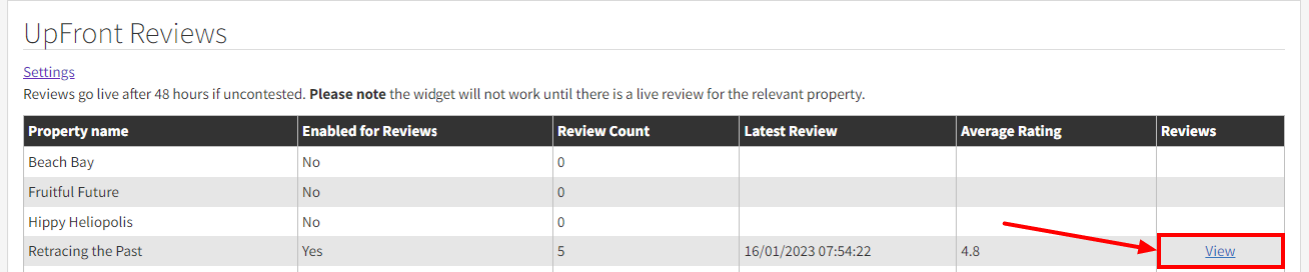
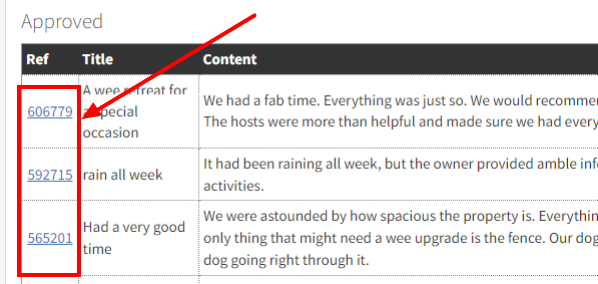
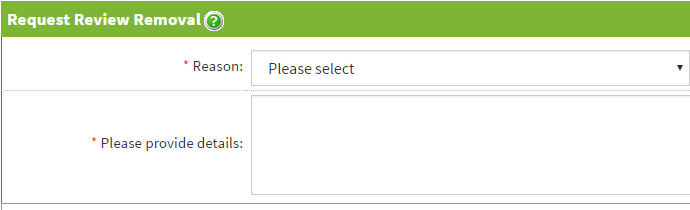
We follow a strict procedure for assessing requests for review removals.
If the review is in breach of our guidelines then it will be removed.
Reviews come down to personal opinion and we won't necessarily remove a review just because you don't think it is a fair review.
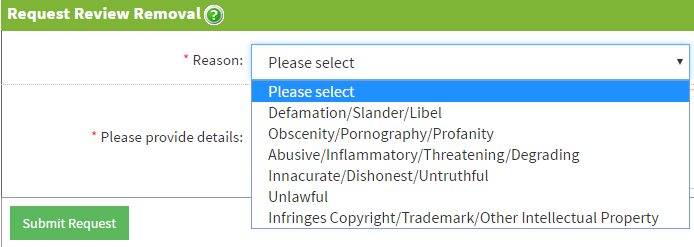
- Defamation / Slander / Libel
- Where the author (guest) has made a deliberately false or damaging statement. - Obscenity / Pornography / Profanity / Offensive
- Where the content of the review contains swearing or references to obscene or pornographic material. - Abusive / Inflammatory / Threatening / Degrading
- If the review is defamatory or could cause serious harm or financial damages. - Inaccurate / Dishonest / Untruthful / False / Misleading / Malicious
- Disputes under this category must be accompanied by sufficient evidence to prove beyond reasonable doubt that the author (guest) has been dishonest/untruthful/malicious in their comments. This might also include where a guest has threatened to post an unfair review if you don’t offer a discount or other incentive to them. We will however not remove reviews that are based on the author's (guest's) opinion unless they breach any other policy. - Unlawful / Otherwise Objectionable
- Infringes Copyright / Trademark / Other Intellectual Property
- Requested by author (guest)
- If a guest asks us to remove a review, we will do so without question.
A review takes 48 hours to go live. During this time you can request the review is removed. If you have a valid reason for the removal, it will never be posted.
Remember: In some cases the best way to remove a negative review is to reply politely and bury it with plenty of positive reviews.
Please note that we reserve the right to screen or remove any content submitted by third parties, including any Reviews, from our Website for any reason and without notice.