Follow the New Sign-In guidance if:
- The password page displays Welcome
- The main button says Continue
- The website address begins with
auth.supercontrol.co.uk - You have completed the Keep Your Account Safe page and selected SMS or an authenticator app for Multi-Factor Authentication
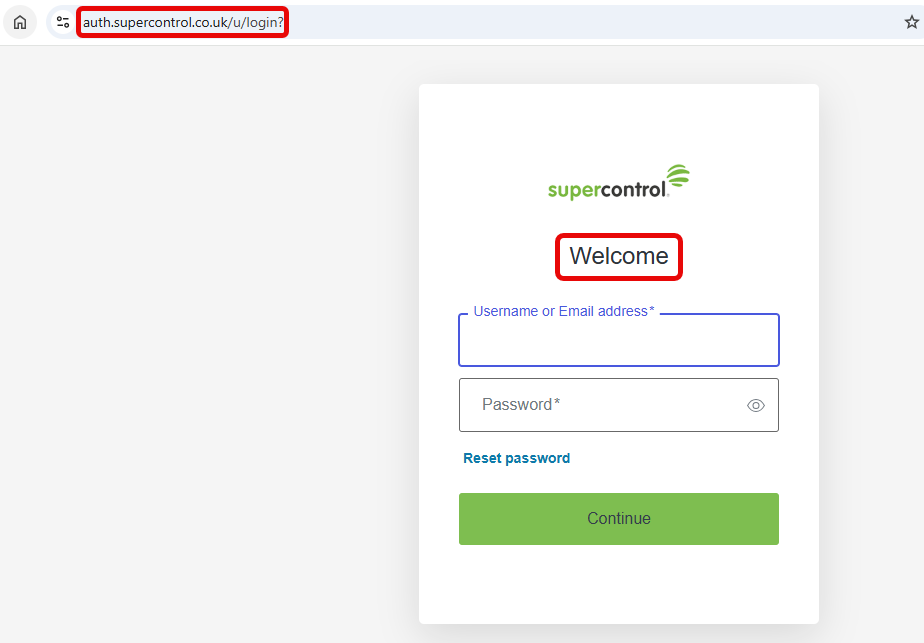
New sign-in experience
The page displays Welcome, includes a green Continue button and uses
auth.supercontrol.co.uk.
View the new sign-in guidance
Follow the Existing Sign-In guidance if:
- The page displays Username and Password
- The main button says Login
- The page includes Forgot password?
- The website address begins with
secure.supercontrol.co.uk - You manage Two-Factor Authentication through the existing SuperControl settings
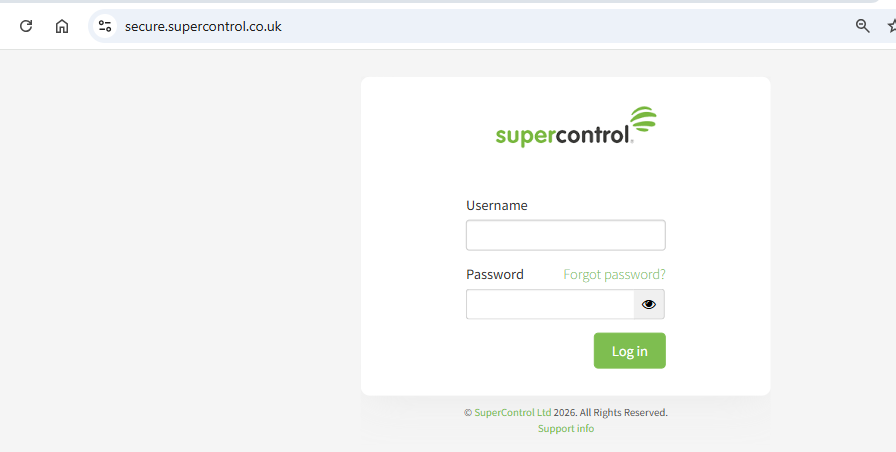
Existing sign-in experience
The page includes a green Login button and uses
secure.supercontrol.co.uk.
View the existing sign-in guidance
Have you completed the “Keep Your Account Safe” step?
If you have seen the Keep Your Account Safe page and selected either:
- An Authenticator app
- SMS
your account uses the new sign-in experience.
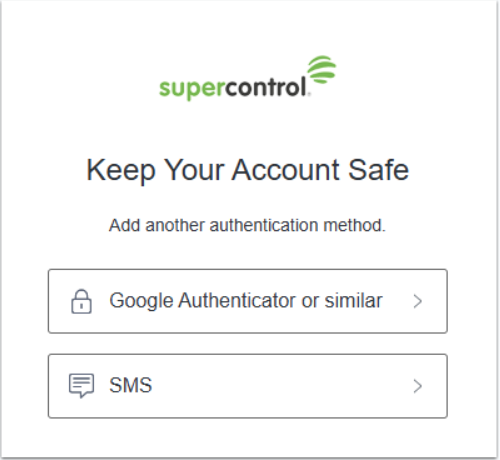
Please note
You normally see this page when setting up MFA. It will not appear every time you sign in.
Still unsure?
Check the website address on the page where you enter your password:
| Website address | Guidance |
|---|---|
auth.supercontrol.co.uk | New sign-in guidance |
secure.supercontrol.co.uk | Existing sign-in guidance |
If you’re still unsure, contact SuperControl Support and describe what appears on your sign-in screen.
Never include your password or MFA verification code when contacting Support.